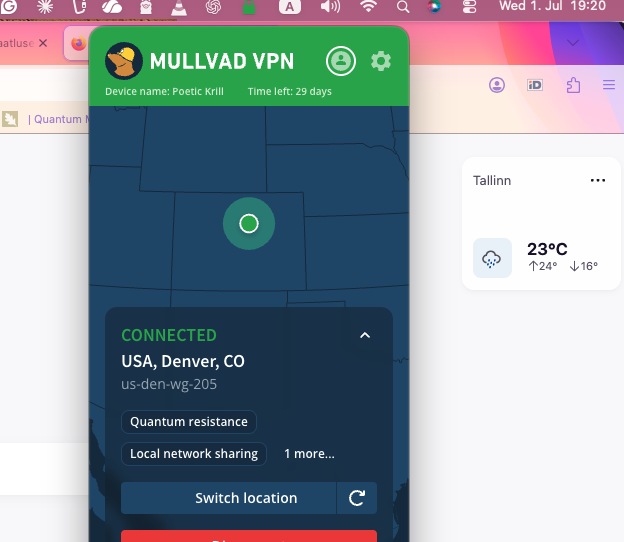
So if you’re using a VPN and it still shows your real physical city, the most likely explanations are:
1. Firefox has already saved the weather location
If the widget previously detected your city, or you manually set it, Firefox may “remember your preferred location.” Mozilla says that once a location is selected, Firefox remembers it.
2. The weather widget may be using country/IP hints before or outside the VPN path
In theory it should see the VPN IP, but browser start-up services, split tunneling, DNS leaks, or a VPN extension instead of a full-device VPN can cause Firefox/Mozilla services to see your real network.
3. A site-level geolocation permission is a different system
Firefox’s normal geolocation feature can use your IP address and nearby Wi-Fi networks, but Mozilla says this is only after you approve a location request. That system sends IP and nearby Wi-Fi access point information to
Google Location Services to estimate location.
The weather widget, however, is described separately as IP-based.


 :: KKK
:: otsing
:: KKK
:: otsing  :: statistika
:: kasutajate nimekiri
:: kasutajate grupid
:: registreeri
:: statistika
:: kasutajate nimekiri
:: kasutajate grupid
:: registreeri





 teata moderaatorile



 Spoiler